Every bug, on tape.
Error tracking for your coding agent. Replay, requests, console and stack, captured before anyone files a ticket.
No credit card. Your first project is free.

From a failed checkout to a pull request
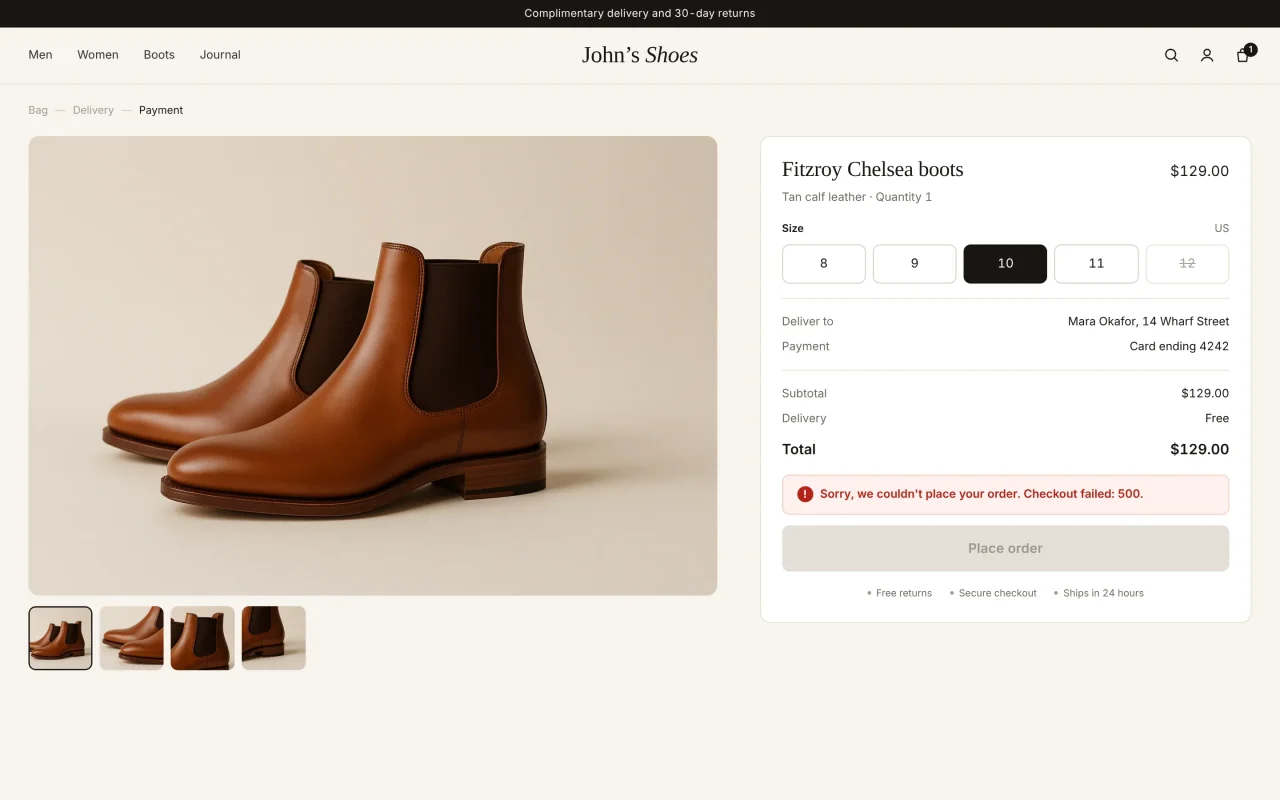
It breaks.
A customer’s checkout fails. Nobody files a ticket.
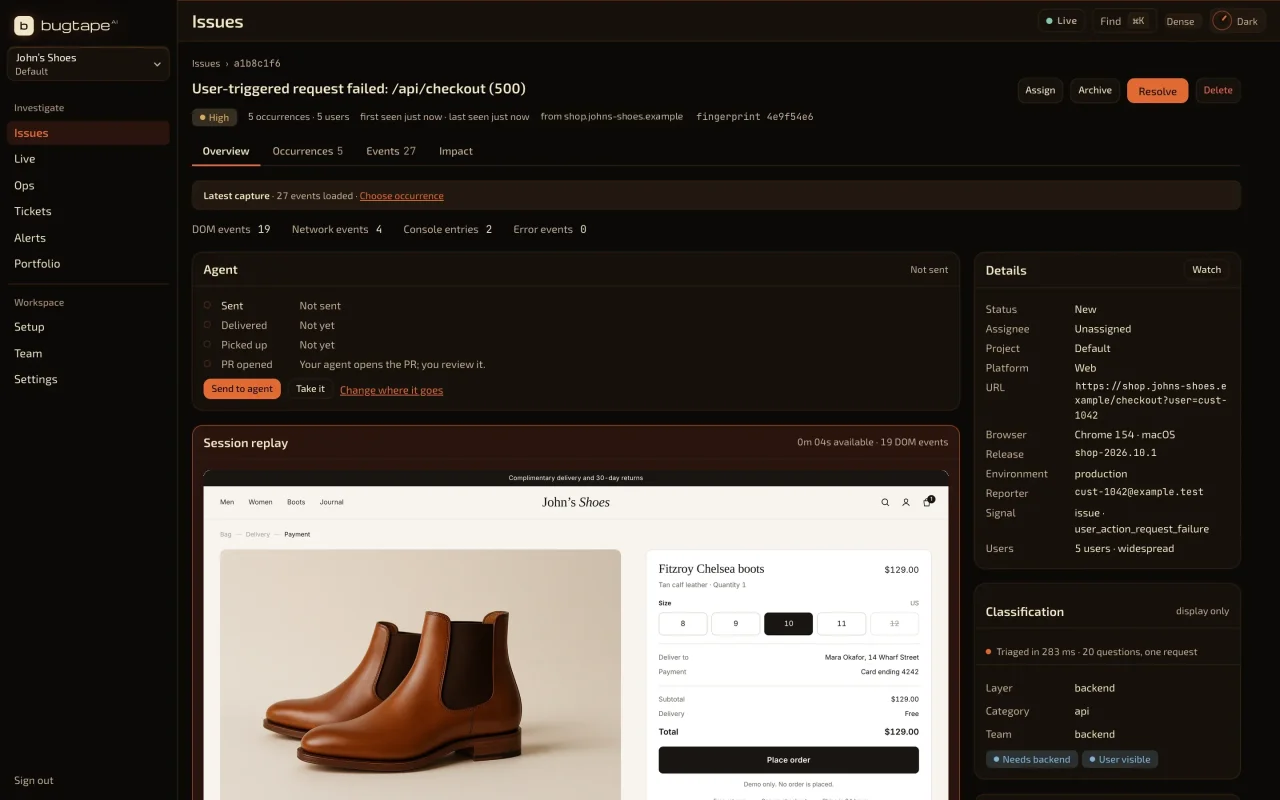
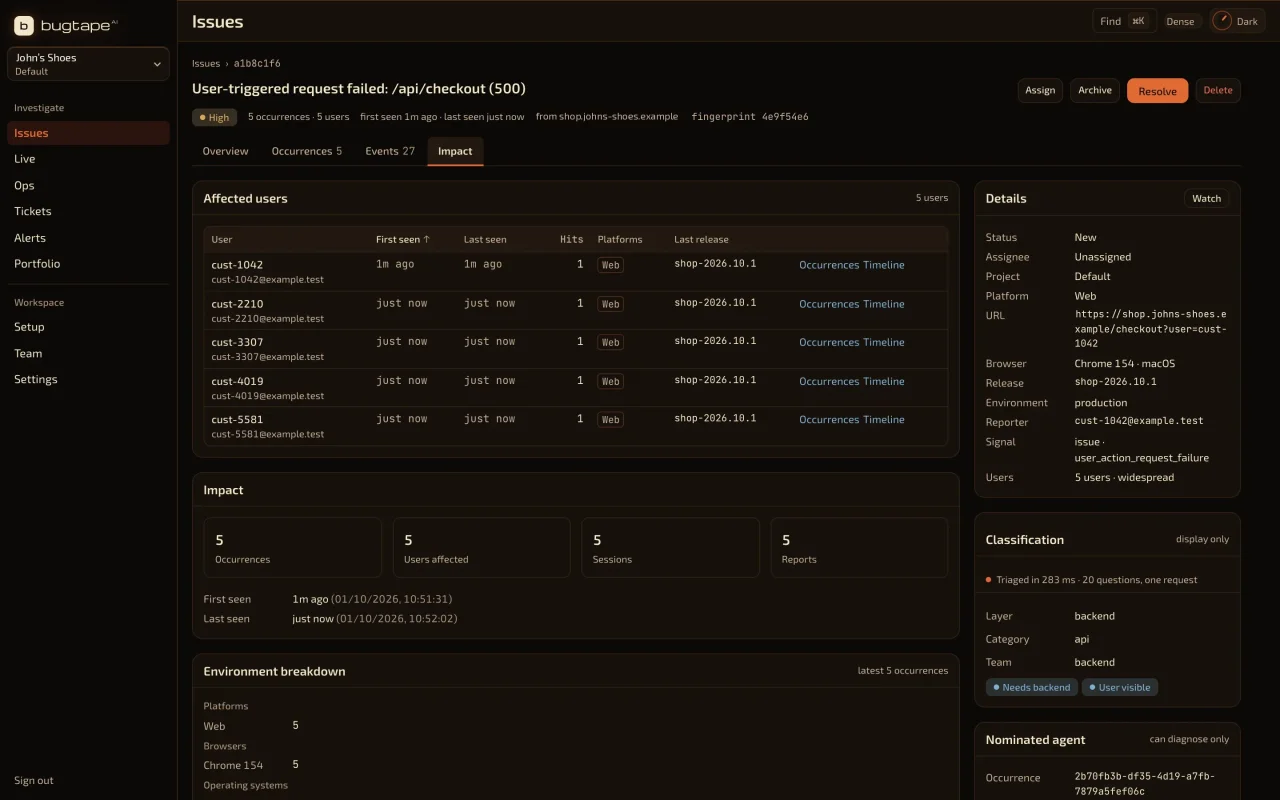
It’s on tape.
The steps, the failed request, the console and the stack, grouped into one issue.
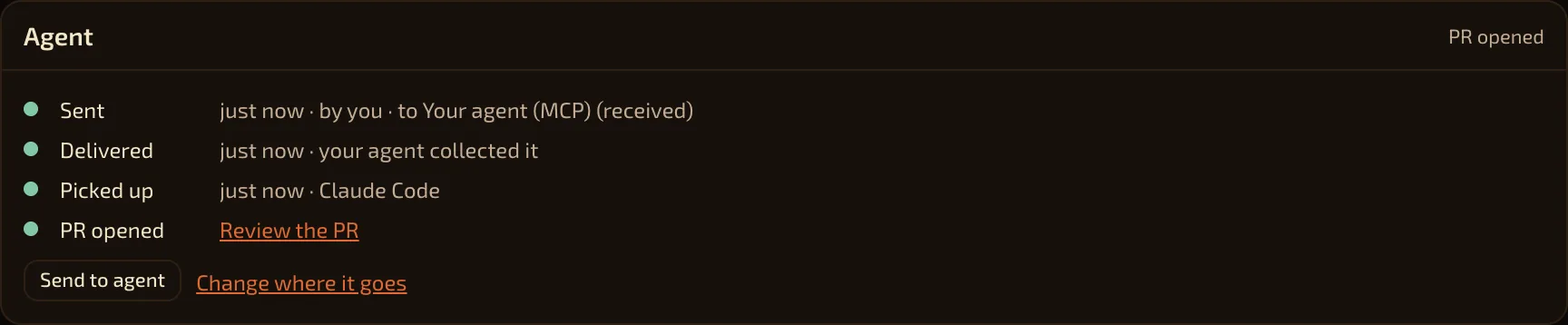
Your agent takes it.
It reads the evidence over MCP and opens a pull request. You review it.
Now yours.
Run one command in your app’s repository. It creates or selects your project and gives you the install steps. Sign in and approve access in your browser.
npx -y bugtape initNode.js 20+ · Run in your app’s repository.
- 01
Create a project.
Start free. Setup gives you the snippet for your app.
- 02
Choose what to capture.
Add the SDK and set privacy. Send a test report from your app.
- 03
Catch the next one.
Open it yourself, or let your agent take it.
Your agent connects over MCP. Works with Claude Code, Cursor, Codex, ChatGPT, Grok and any HTTP MCP client.
https://app.bugtape.ai/mcp Platforms, limits and privacy
Web
npm i @bugtape/sdkBrowser replay, requests, console, stack.
Node.js
npm i @bugtape/nodeServer errors with the route.
Python
pip install bugtapeExceptions with context.
Swift alpha
Swift packageHandled errors. No fatal-crash or native replay.
Browser replay is for web apps. Node.js and Python capture server error context. Swift is a handled-error alpha, with no fatal-crash or native-replay support. What a report holds depends on capture settings and the event. Replay is reconstructed page activity, not a video. Replay can be unavailable. Request and response bodies are not captured. A stack is evidence, not a confirmed cause. Inputs are masked by default. Visible page text can still be recorded; strict mode masks page text too.
Watch it work.
Credits
Music: Neon by Scott Buckley · CC BY 4.0 (edited). Keyboard: Keychron V1 typing by C40115 · CC BY 4.0 (edited).
Pricing
Start with
the next error.
No credit card. Your first project is free.
Before you start.
Does a user have to report the bug?
No. With the browser SDK installed, supported errors and failed requests can create reports automatically. Capture settings and rate limits apply. Users can also submit a report.
Will BugTape fix my code?
BugTape captures and shares evidence. Your authorized coding agent can investigate and propose a change. You review it. An agent response or linked pull request does not prove the fix works.
What does free include?
One project, three members, 100 new issues and 150 credits a month, with seven-day event retention. No credit card. See what credits cover.
How is the demo different from my app?
The demo captures a real failure locally in your browser tab. It does not send a report to BugTape or dispatch an agent. Install the SDK in your app to capture your own reports.
Can I try BugTape with no account?
Yes. npx -y bugtape --help prints the CLI and does not sign you in. The live demo runs in your browser and sends nothing. The demo MCP at https://app.bugtape.ai/demo/mcp needs no sign-in. Your own workspace needs one.
Does BugTape record every session?
No. It keeps a short buffer in the browser and sends that buffer with a supported error or a user report.
Facts.
| What it records | Supported browser errors, failed requests, and a short DOM replay with the report. It does not record every visit. |
|---|---|
| No account | npx -y bugtape --help prints the commands and does not sign you in. The live demo stays in the browser. The demo MCP at https://app.bugtape.ai/demo/mcp needs no sign-in. Your own workspace needs one. |
| Price | Free is $0. Prepaid credits are $10 for 2,000 credits. Pro is $29 a month. |
| Not included | Hosted screenshots and voice notes are not stored. Fatal iOS crash capture is not available. |