From a broken app to the evidence for a fix.
Install the SDK, then capture the failure and the steps before it. Give your coding agent the evidence, and review its fix.
No credit card. Start with the Free plan.

LESS BACK AND FORTH
A bug report.
With a place to start.
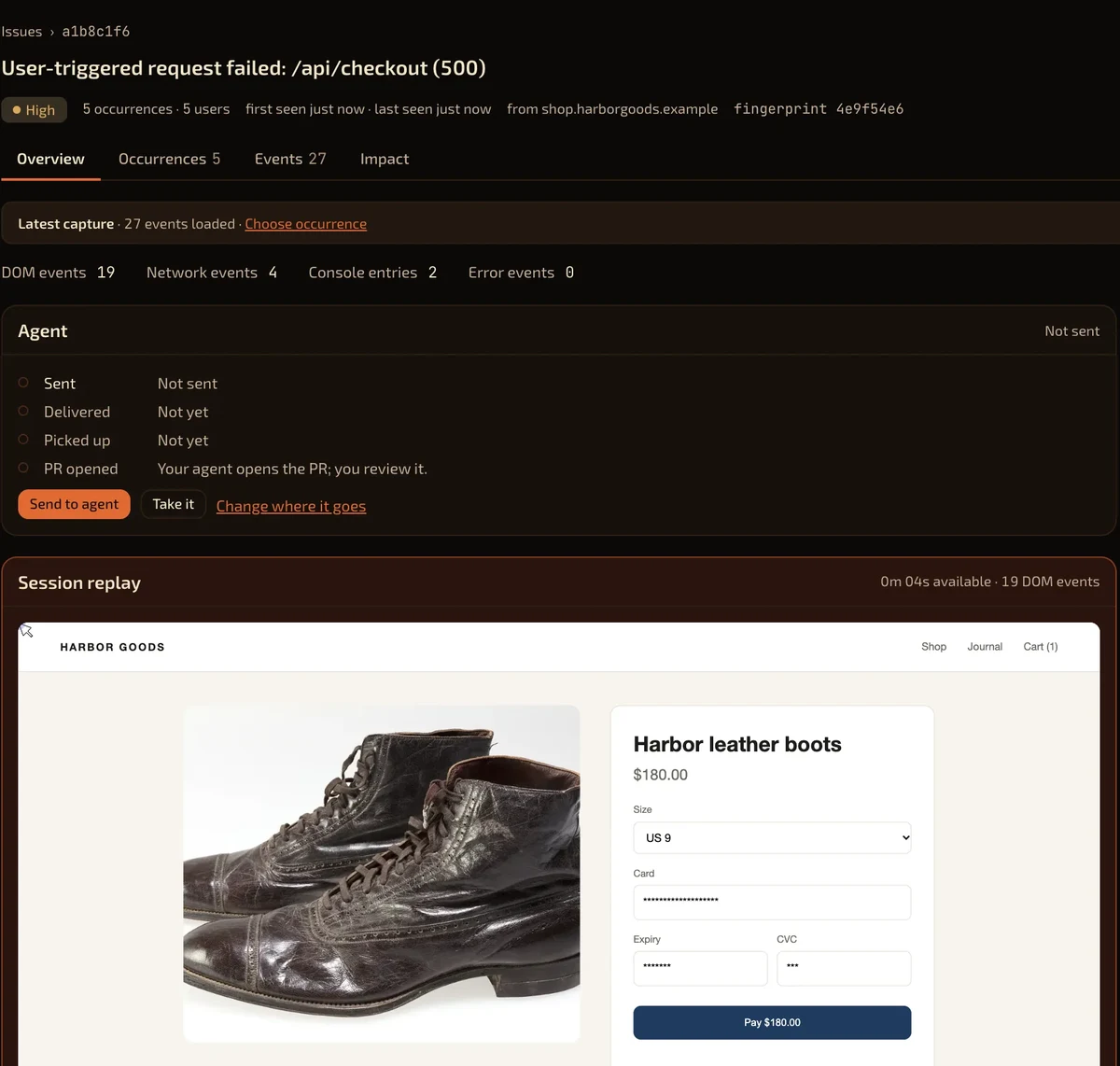
“Checkout is broken” leaves you guessing. Open one issue with the replay, failed request, console and stack.
01 / MAKE IT YOURS
Choose your privacy.
Then add capture.
Setup creates your project and capture key. Choose privacy, install your SDK and send a report.
Choose what your app records.
Show a report button or capture silently. Choose standard replay, strict masking or errors only.
Add the SDK for your runtime.
Paste your snippet. Keep server keys in the server environment.
Send one report from your app.
Check its evidence. A console sample does not prove installation.
<script type="module">
  import { init } from 'https://app.bugtape.ai/bugtape.mjs';
  init({ apiKey: 'bt_live_your_key_here' });
</script>Examples use SDK defaults. Review privacy and use your own capture key.
All runtimes and install guides ↗02 / SEE WHAT HAPPENED
See what broke.
Replay the lead-up.
The browser SDK buffers context in memory. Uncaught errors, unhandled rejections and failed requests after a click trigger reports.
Replay the page and clicks.
DOM events rebuild the replay. It is not screen video.
Read the request, console and stack.
Read the failure beside the activity that led to it.
Check your privacy choices.
Typed input values are hidden by default. Review real app screens before release.
Servers send error context without browser replay. Check capture support.
03 / HEAR FROM YOUR USERS
“This looks wrong.”
Now you can see why.
Some bugs throw no error. The optional report button adds your user’s explanation to the captured context.
Show the button.
Users add a title, description and severity. The Reported by users filter shows them in Issues.
Capture silently.
Errors still report automatically. Open the form from your own link with
open().
Screenshots and voice notes in the form are not available yet.
Set up the report button ↗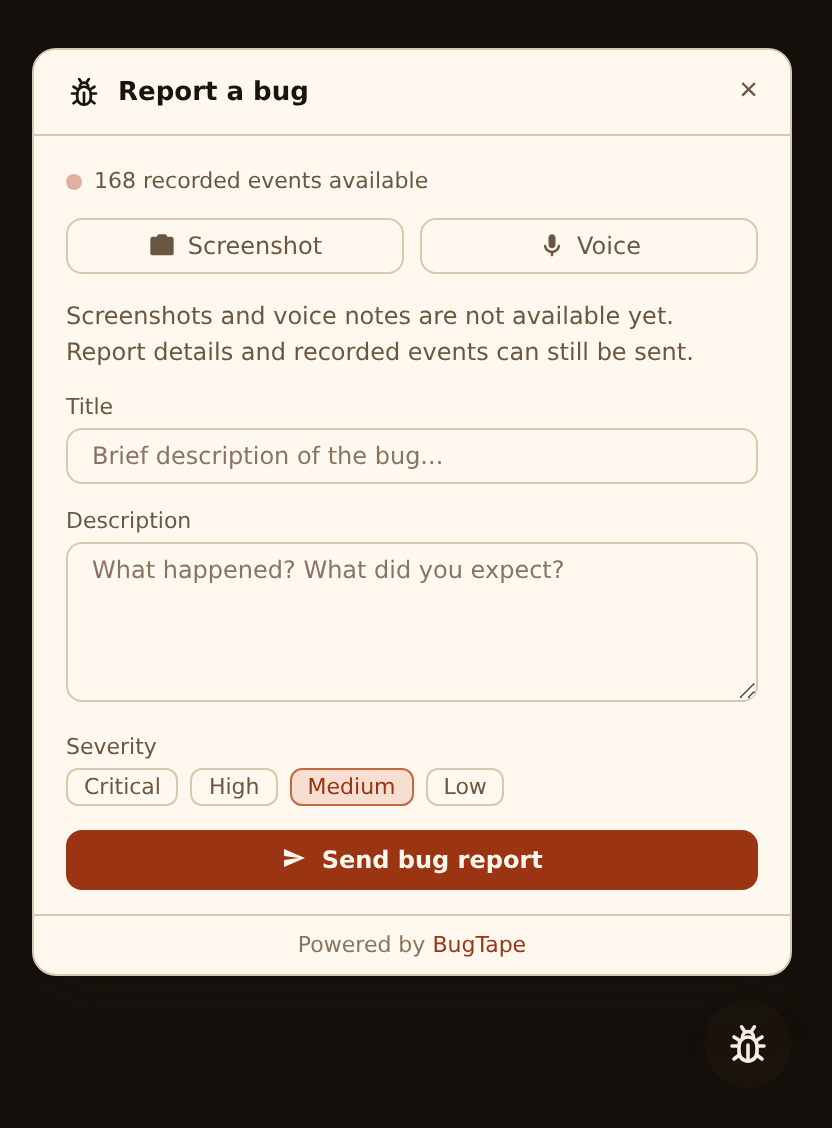
04 / FIND THE FAILURE
Repeated reports.
One clear issue.
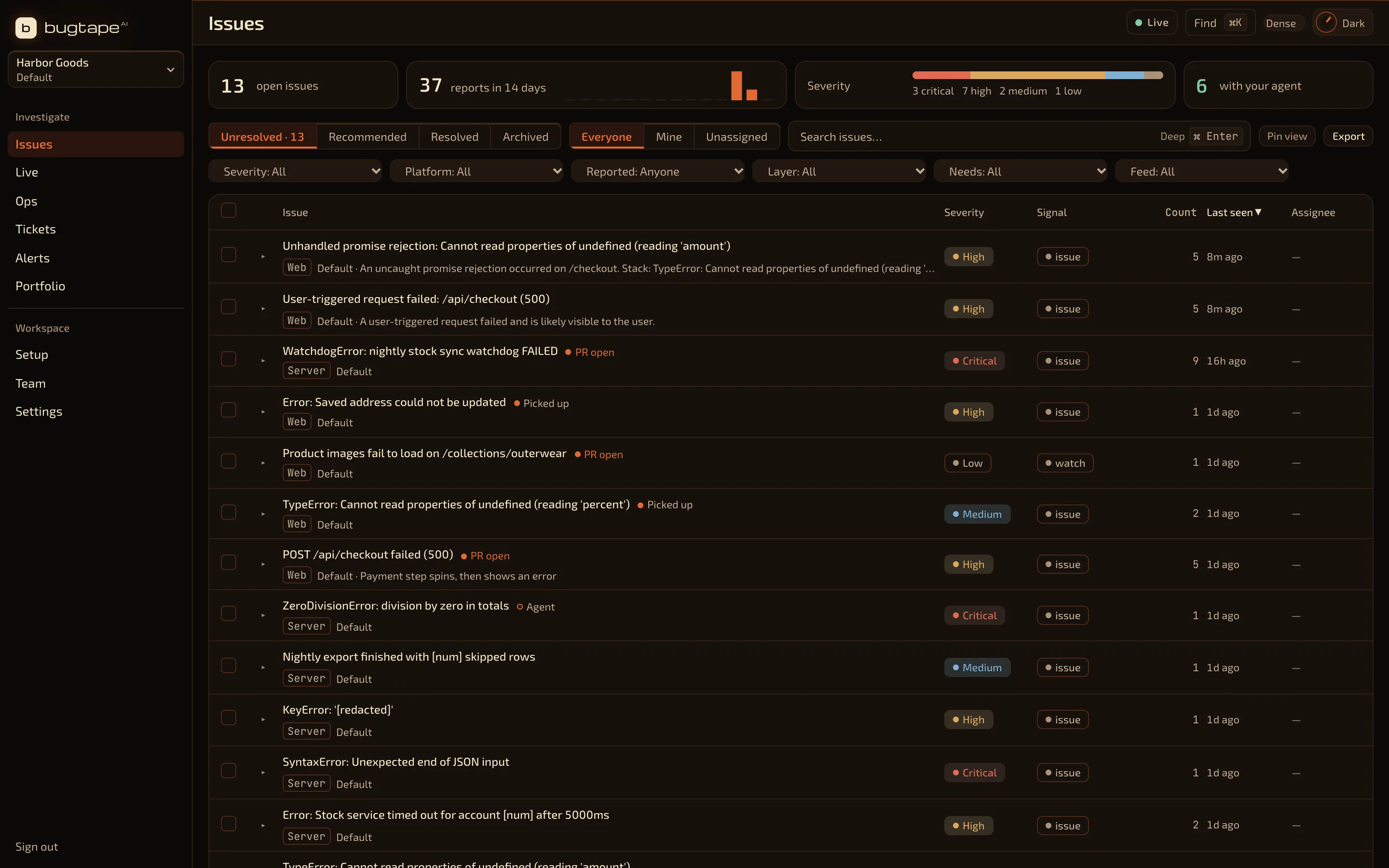
One failure becomes one issue, with its report count, releases and platforms. Send user IDs to see who was affected.
Keep your inbox useful.
Open any occurrence for its exact context.
Bring the alert to your workflow.
Connect GitHub, chat, email or a webhook. Setup checks real delivery where supported.
05 / GIVE YOUR AGENT A START
The agent gets context.
You keep the decision.
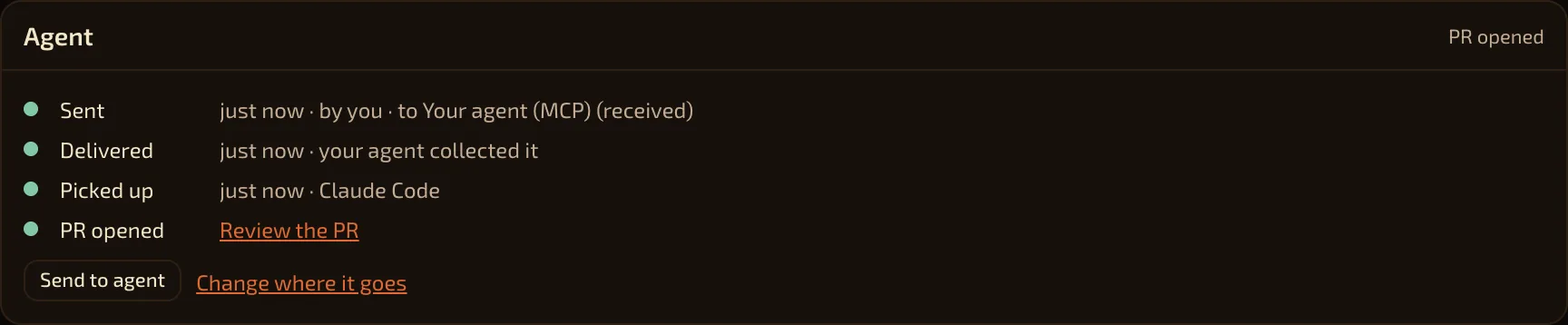
Connect Claude Code, Cursor or Codex over MCP. Approve scoped access, then ask it to investigate.
Read the same evidence.
Your agent reads the replay context, request, console and stack.
Review the proposed changes.
Review your agent’s pull request. You decide what ships. A linked PR does not prove a fix.
Watch the next release.
Check for new reports and recurrence after you ship.
EXAMPLE / MCP WORKFLOW
list_recommended_critical
  ↓ choose an issue
get_repro_context
  ↓ read captured evidence
ack_bug
  ↓ report progress / link your PR
Illustrative workflow. Your agent does the code work.
Tools, access and credit costs ↗LESS TIME EXPLAINING BUGS.
More time
making things.
No credit card. Your agent does the code work.
Facts
| What it records | Supported browser errors, failed requests, and a short DOM replay with the report. It does not record every visit. |
|---|---|
| No account | npx -y bugtape --help prints the commands and does not sign you in. The live demo stays in the browser. The demo MCP at https://app.bugtape.ai/demo/mcp needs no sign-in. Your own workspace needs one. |
| Price | Free is $0. Prepaid credits are $10 for 2,000 credits. Pro is $29 a month. |
| Not included | Hosted screenshots and voice notes are not stored. Fatal iOS crash capture is not available. |
FAQ
Can I try BugTape with no account?
Yes. npx -y bugtape --help prints the CLI and does not sign you in. The live demo runs in your browser and sends nothing. The demo MCP at https://app.bugtape.ai/demo/mcp needs no sign-in. Your own workspace needs one.
Does BugTape record every session?
No. It keeps a short buffer in the browser and sends that buffer with a supported error or a user report.